
An office relocation checklist is a structured, step-by-step plan that sequences tasks, owners, and timelines so your team can move workspaces with minimal downtime and zero guesswork. It aligns IT, facilities, vendors, and employees around clear milestones. The result is a safer, faster move—and a smoother first day in the new space.
By Let’s Start Moving • Last updated: July 4, 2026
Quick Summary and Table of Contents
Use this office relocation checklist to organize scope, lock dates, brief stakeholders, protect data, and stage a zero‑surprises move day. You’ll find definitions, why it matters, a step‑by‑step process, tools, best practices, 10 costly mistakes to avoid, and real examples from commercial moves.
Planning an office move is part logistics, part change management. This complete guide explains the what, why, and how—then turns it into an actionable sequence you can run with confidence.
- What is an office relocation checklist?
- Why an office relocation checklist matters
- How office moves work: step-by-step
- Types of office relocations
- The ultimate office relocation checklist
- Best practices
- Tools and resources
- Case studies and examples
- 10 mistakes to avoid
- FAQ
- Conclusion + next steps
What Is an Office Relocation Checklist?
An office relocation checklist is the master list of tasks, owners, and dates that drives your entire move. It covers discovery, planning, packing, IT cutover, physical transport, setup, and hypercare, so nothing slips through cracks. With it, leaders coordinate facilities, vendors, and staff efficiently.
Think of the checklist as your move’s operating system. It aligns scope, dependencies, and risk controls across departments. Without one, teams improvise, decisions drift, and project schedules expand unexpectedly. With the right sequence, you compress timelines, reduce touches, and avoid rework.
At Let’s Start Moving, we translate this framework into day-by-day actions: labeling schemes that map to floor plans, loading orders that reflect business priorities, and IT cutover windows that respect production hours. The format adapts to your footprint—ten desks or ten floors—while keeping decision rights, timing, and safety crystal clear.
- Core components: project charter, schedule, roles, scope of services, vendor list, floor plans, inventory, risk log, communications plan, and acceptance criteria.
- Time horizon: for small offices, start 6–8 weeks out; for multi-floor moves, plan 12–16 weeks with interim checkpoints.
- Success metric: day-one productivity at the new site—workstations live, priority teams seated, and critical systems online.
Why an Office Relocation Checklist Matters
A structured checklist reduces downtime, prevents asset damage, and protects data. It sequences tasks so crews work safely and fast, and it sets expectations with executives and employees. The payoff is measured in fewer delays, smoother IT handoffs, and a predictable first week in the new office.
Office moves are high-visibility. Stakeholders care about uptime, safety, and a clean handoff. A clear plan cuts decision latency and ensures someone owns every task. Missing labels, vague floor plans, or last-minute scope changes create bottlenecks. A checklist catches these before they cascade.
In our experience, two elements drive outcomes: disciplined labeling and IT coordination. Labeling reduces touches per item and lowers handling risk; strong IT coordination avoids service outages and data-loss exposures. When we align load order to your business-critical teams, we can seat and power them first, so customer-facing work resumes quickly.
- Risk control: fewer lift-related injuries and better protection for electronics when packing standards and handling methods are explicit.
- Change management: employees know where to be, what to pack, and when they’re live again, which reduces disruption and support tickets.
- Governance: leaders get status at-a-glance and can unblock decisions faster because roles and deadlines are visible.
How Office Moves Work: Step-by-Step Process
A successful office move follows seven stages: discovery, planning, pre-pack, IT cutover prep, move day execution, setup and testing, and hypercare. Each stage has owners, checklists, and clear exits. Treat it like a project sprint to minimize downtime and surprises.
Here is the high-level flow we use on commercial relocations, converted into practical actions your team can run.
1) Discovery and scope
- Define goals, constraints, and success metrics. Capture headcount, furniture systems, specialty assets, and any regulated equipment.
- Map current and future floor plans. Note access constraints, elevators, docks, and quiet-hour windows.
- Assemble decision makers: executive sponsor, facilities lead, IT lead, office manager, and vendor PM.
2) Planning and schedule
- Draft the master schedule with milestones for notices, packing, equipment rentals, IT dependencies, and sign-offs.
- Lock a move window that minimizes business impact (weekend or off-hours) and sequence teams by priority.
- Confirm scope with your mover: furniture disassembly/reassembly, packing, specialty handling, and disposal or donation workflows.
3) Pre-pack and labeling
- Distribute packing guidance and materials. Use a color-and-number system that matches destination zones and stations.
- Photograph complex setups (ergonomic desks, cable routing) to replicate quickly at destination.
- Stage a purge day so teams archive, shred, or recycle nonessential items before boxes show up.
4) IT cutover preparation
- Inventory assets: workstations, monitors, peripherals, phones, printers, networking gear, and server appliances.
- Schedule backups, test restores, and document network configs, SSIDs, and access-control lists.
- Plan for VoIP and printer re-provisioning, and ensure labeled power/data drops at new desks.
5) Move day execution
- Run a start-of-day safety brief. Confirm the load order and zone staging.
- Use protection: floor runners, door jamb guards, padded blankets, shrink wrap, and straps.
- Validate counts per truck, seal, and record. Keep a simple chain-of-custody log for high-value gear.
6) Setup, testing, and acceptance
- Reassemble furniture and stage boxes by destination label.
- Power up and test: connectivity, printing, conference rooms, and credentialed access.
- Walk the floor with the owner’s rep and sign off against acceptance criteria.
7) Hypercare and stabilization
- Staff a help desk for the first 1–3 business days to handle seating, accessories, and minor adjustments.
- Collect and store spare materials. Remove debris daily to keep aisles clear.
- Close out: finalize asset inventory, archive documentation, and record lessons learned.
When your movers and IT operate from the same playbook, you compress the timeline and protect productivity. After hundreds of relocations, we’ve learned that clarity beats speed—because clarity creates speed.
Types/Methods/Approaches to Office Relocation
Office relocations vary by size and sensitivity. Common approaches include single-phase (one move window), multi-phase (staggered teams), swing-space transitions, and hybrid in-place refreshes. Choose based on headcount, IT complexity, lease timing, and service-level commitments.
Different footprints call for different strategies. Matching the approach to your constraints is foundational—especially when uptime obligations and lease dates collide.
Single-phase move
- Entire office relocates in one sequenced window (often off-hours).
- Best for smaller footprints or when staging space is available at destination.
- Benefit: faster consolidation, single acceptance cycle, less prolonged change fatigue.
Multi-phase move
- Teams relocate in waves (e.g., support first, then revenue, then back office).
- Reduces peak disruption and spreads IT load across multiple cutovers.
- Requires tighter labeling and communication to avoid stranded items.
Swing-space strategy
- Temporary space absorbs staff while the primary site is built out or renovated.
- Useful when construction schedules are fluid or when the old lease ends before the new fit-out is complete.
- Plan for two moves and extra attention to asset tracking.
Hybrid in-place refresh
- Furniture and IT are reconfigured within the same building or campus.
- Schedule moves after-hours; treat each area like a mini project with its own acceptance test.
- Still use full labeling and protection standards to prevent incidental damage.
The Ultimate Office Relocation Checklist
This office relocation checklist sequences every phase: planning, notices, vendors, packing, IT, move day, and stabilization. Assign owners, due dates, and acceptance criteria to each task. Track progress daily, and hold brief stand-ups to remove blockers and keep momentum.
Use the following items as your master runbook. Copy them into your project tool, add owners and dates, and update weekly.
Planning and approvals
- Define scope, constraints, and key success metrics.
- Approve budget parameters and service scope with your mover.
- Secure building access, elevator reservations, and loading dock time windows.
- Collect and review floor plans; confirm destination zones and seating chart.
Vendor alignment
- Select a licensed, insured mover with demonstrated office experience. Confirm specialty handling (e.g., pianos, safes, server gear) if applicable.
- Decide on packing services vs. DIY, and confirm supply quantities.
- Coordinate with IT vendors for networking, cabling, and telecom porting.
- Arrange e‑waste recycling or donation for decommissioned equipment.
Communications and change management
- Publish the move timeline and FAQs to all staff. Clarify what they pack vs. what the mover packs.
- Assign floor wardens or team champions to handle questions and collect feedback.
- Prepare day‑one wayfinding and destination signage (zones, departments, special rooms).
- Draft out-of-office messaging and customer communications for the move window.
IT and data protection
- Take full backups for all critical systems, and test at least one restore per system type.
- Document workstation and conference room standards (power strips, adapters, peripherals).
- Stage new network gear, label ports, and validate patch panels and drops.
- Plan printer/DNS/VoIP changes and test on a non-production subnet first.
Packing and labeling
- Issue box and chair tags that map to destination zones and seat numbers.
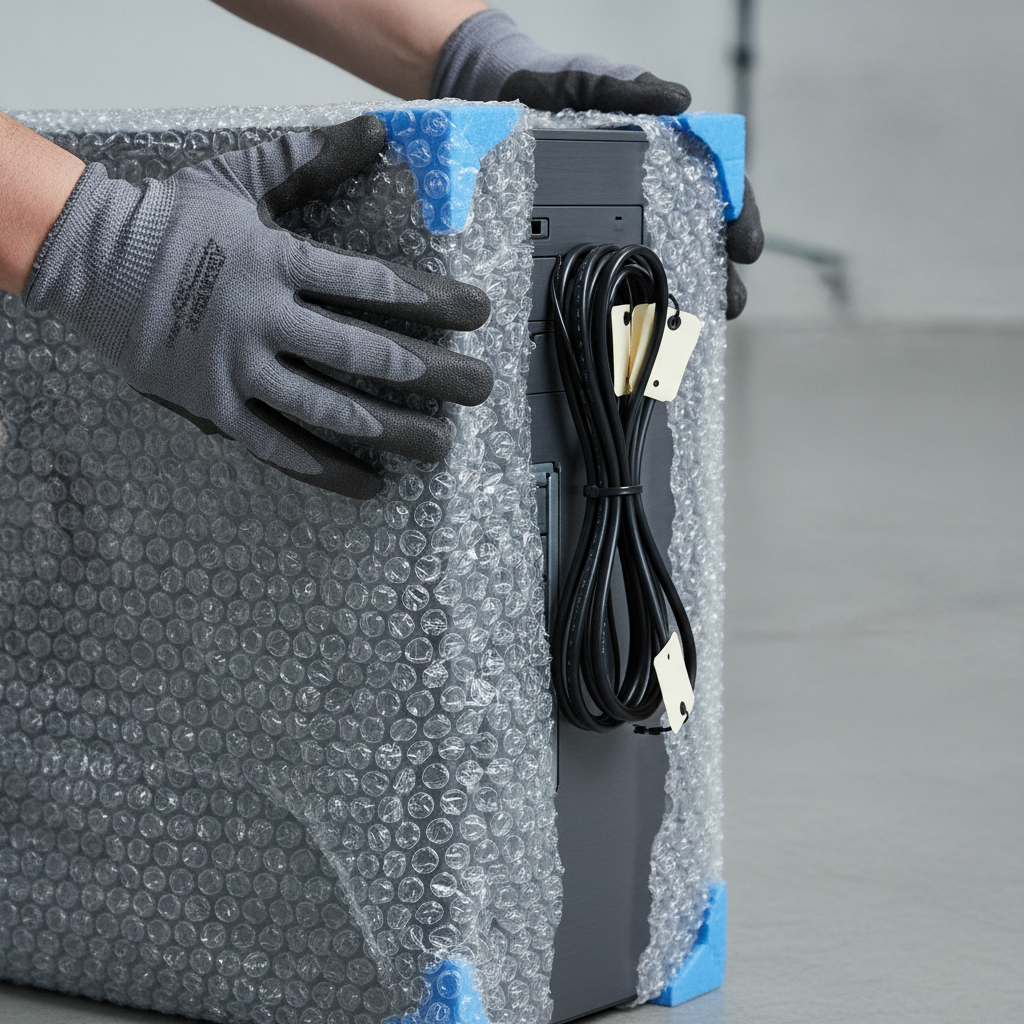
- Wrap monitors with padded sleeves or bubble, protect corners, and coil/secure cables.
- Use heavy-duty boxes for books and files; lighter boxes for mixed desk items.
- Create a photo log of each executive or specialty workstation before disassembly.
Facilities and safety
- Lay floor protection and wall/door guards at both origin and destination.
- Confirm clear egress paths; keep fire panels and extinguishers unobstructed.
- Stage first-aid and spill kits; brief crews on lift technique and pinch‑point hazards.
- Confirm elevator capacity limits and assign a spotter for dock and elevator work.
Move day operations
- Start with a toolbox talk: safety, sequencing, and the chain of command.
- Scan or tally items onto the truck; seal and record each load.
- Prioritize unloading by business-critical teams to restore service quickly.
- Maintain a simple command center: radio channel, issue log, and decision escalation path.
Setup, testing, and hypercare
- Reassemble furniture and stage boxes at correct seats.
- Plug, power, and test: endpoints, printers, conferencing, and Wi‑Fi.
- Walkthrough and sign off; record punch-list items with owners and dates.
- Staff a help desk for 1–3 days for support and adjustments.
Best Practices for a Smooth Move
Treat the move as a project with sprints, not a one‑day event. Lock decisions early, label relentlessly, coordinate IT cutovers, and protect floors and gear. Run short stand‑ups, track issues in one place, and seat critical teams first to restore customer‑facing work quickly.
Best practices are about reducing touches, avoiding do‑overs, and creating fast feedback loops. They keep crews safe, protect assets, and accelerate day-one readiness.
- Decide early, decide once: minimize midstream changes that ripple across labels, seating, and cabling.
- Label everything: destination-first labels cut search time and reduce handling risk for electronics and furniture.
- Photograph before disassembly: photos make reassembly faster and reduce configuration drift.
- Sequence critical teams first: prioritize support, revenue, and leadership seating during unload.
- Run a single issue log: one source of truth prevents duplicate work and lost tasks.
- Safety briefings: five minutes per shift prevents injuries and damage that derail timelines.
- Debris control: remove packing waste continuously; clutter slows crews and introduces hazards.
Our crews bring high-quality supplies, from anti-static wraps to door guards, and follow a predictable cadence: brief, execute, verify, and adjust. That rhythm lets us adapt to elevators, docks, and after-hours windows while keeping the plan intact.
Tools and Resources for Planning
Use a shared project board, digital floor plans, a standardized labeling kit, and a simple command-center playbook. Add photo logs and asset lists for IT. These tools give you visibility, speed reassembly, and make acceptance testing objective.
Tools don’t have to be complicated to work. What matters is consistency and access—everyone should see the same plan and the same status updates.
- Project dashboard: a Kanban board with columns for To Plan, In Progress, Blocked, and Done.
- Digital floor plans: export PDFs with zone colors and seat IDs that mirror your label schema.
- Labeling kit: color/number labels for boxes and chairs, tamper seals for IT gear, and pallet tags.
- Asset inventory: spreadsheet of endpoints, monitors, docking stations, printers, and serials.
- Photo log: pre‑ and post‑move photos for specialty setups and conference rooms.
- Acceptance checklist: a one‑page list for each space that defines “done.”
If you’re deciding between professional movers and DIY, this perspective on trade‑offs can help you frame the call and staff appropriately. For additional framing on office move choices, see this discussion of office companies vs. DIY moves. For packing workflows, these packing checklist ideas can spark labeling tactics. And for broader planning themes, here’s a general view on time and downtime in office moves.
Need a commercial move playbook? Our licensed, insured crews handle end‑to‑end office relocations—packing, furniture systems, inventory, and specialty items. Ask about our quick video‑quote option and we’ll align scope, sequence, and timelines to your business priorities.
Case Studies and Examples
Real moves prove the method: when labeling keys to floor plans, load sequences match business priorities, and IT cutovers are rehearsed, teams sit faster and systems come online sooner. These snapshots show how disciplined checklists turn complex moves into predictable sprints.
Example 1: Multi-team, after-hours relocation
A company needed to relocate support, sales, and finance with no customer impact. We split into two waves: support first, then revenue. With pre-labeled desks and a live issue log, support was operating within the first two hours of arrival, and revenue followed shortly after systems checks completed.
Example 2: Conference rooms and executive setups
Leadership required conference rooms live for Monday briefings. We documented each room’s gear, labeled cables to ports, and staged spares. After move-in, rooms passed acceptance testing on the first attempt, and leadership held on-time meetings with video and audio functioning as designed.
Example 3: Specialty item handling
The office included heavy appliances and delicate instruments. Our specialty-trained team used the right equipment—dollies, lift straps, corner guards—and padded crates. Items traveled safely, and destination floors and walls remained unmarked thanks to full protection pathways and clear spotter roles.
Example 4: Swing-space transition
Construction delays made a temporary space necessary. We treated the swing as its own project, with pared-down kits per employee and an asset ledger to avoid loss across two moves. The final transition required minimal rework because standards and labels remained consistent end to end.
Example 5: Inventory-heavy workspace
For a team with extensive storage, we ran an early purge and created a two-tier packing plan—dense, small boxes for files and light, larger boxes for supplies. The result: fewer strained lifts, faster stacking, and simpler placement at destination shelves mapped to the plan.

10 Office Move Mistakes That Waste Time and Money
Avoid ten pitfalls: late decisions, no owner, weak labeling, poor IT backups, skipping photos, unclear load order, under‑protecting floors, no issue log, seating chaos, and missing acceptance tests. Fix these, and your move runs faster with less damage and fewer post‑move tickets.
- Decisions drift: key choices slide until move week, triggering rework. Set decision deadlines and guard them.
- No accountable owner: too many cooks, no chef. Name a single project owner with authority to escalate.
- Labeling gaps: items arrive unlabeled or inconsistently labeled. Use a zone‑plus‑seat system that maps to the floor plan.
- IT backup blind spots: backups aren’t tested. Run a test restore for each critical system before cutover.
- Skip photos: without pre‑move photos, reassembly drifts. Photograph workstations and conference gear.
- Load order mismatch: trucks unload in random order. Prioritize by business-critical teams, then general seating.
- Under‑protecting facilities: no door guards or floor runners. Protect surfaces to prevent damage and delays.
- No central issue log: problems get lost in chat. Track issues in one place with owners and due dates.
- Seating chaos: no seating chart. Publish and print zone maps and post destination signage on day one.
- Missing acceptance tests: “done” isn’t defined. Use a simple checklist per space and sign off with the owner’s rep.
Frequently Asked Questions (FAQ)
Office moves raise practical questions about timelines, packing, and IT. These concise answers cover planning windows, what professionals handle, protecting electronics, weekend moves, and how to keep your first week productive.
How far in advance should we start our office relocation checklist?
For small offices, begin 6–8 weeks out. For multi-floor or complex IT environments, plan 12–16 weeks. That window gives you time to lock dates, brief staff, sequence vendors, and run backup and labeling workflows without rushing.
What do professional movers handle during an office move?
Licensed, insured movers handle packing, protection pathways, disassembly/reassembly of furniture, safe transport, unloading, and staging by label. With a full-service partner, you can add specialty handling, inventory moves, and coordinated IT workstation setup to accelerate day-one readiness.
How do we protect sensitive electronics and data during the move?
Use anti-static wraps, foam corners, and rigid boxes; coil and secure cables; and label every asset. Run full backups and test restores before cutover. Keep a light chain‑of‑custody log for high-value devices and verify connectivity at destination before employee arrival.
Is a weekend move better than moving on a weekday?
Weekend or off-hours moves reduce disruption to customers and give IT time to cut over systems. The trade‑off is access constraints and building schedules. Choose the window that best protects uptime and aligns with your lease and building rules.
What’s the best way to keep move-day organized?
Run a short safety and sequencing brief, use a single issue log, and label relentlessly. Set up a command center with radios, a visible schedule, and a clear escalation path. Prioritize unloading by business-critical teams and validate each space against acceptance criteria.
Conclusion and Next Steps
Plan early, label everything, rehearse IT cutovers, and protect facilities. With a disciplined office relocation checklist, you’ll control timelines, reduce risk, and deliver a productive first week in your new space. The right partner turns complexity into a predictable sprint.
Your move should feel organized, safe, and quick to stabilize. Use the checklists here as your runbook. If you need a partner to turn plans into action, our trained, licensed, and insured teams manage packing, transport, specialty items, and day-one setup—guided by a clear, shared plan.
- Key takeaways: decide early, label relentlessly, rehearse IT, protect facilities, and staff hypercare.
- Action steps: copy the checklist, assign owners and dates, confirm your move window, and run a brief with all stakeholders.
- Next move: align your scope and schedule with a commercial relocation specialist who treats clarity as the path to speed.